


Download Newsfusion Review – Australian news, news app, local news, world news, news aggregator, free news app, news feed, news updates, push notifications, news widget, news curation, news filtering, personalized news, news for Android
Overview
Newsfusion Review delivers a streamlined experience for users seeking timely and relevant news from both local and global sources. Designed specifically for Android devices, the application aggregates content from reputable outlets such as ABC News and The Sydney Morning Herald, offering a consolidated view of current events without the clutter of redundant reporting. The app’s primary function is to reduce information overload by curating the most significant stories and eliminating duplicates, ensuring users receive only essential updates. This makes it particularly useful for professionals, students, and general users who need to stay informed without spending excessive time browsing multiple news platforms.
The software is built with minimal friction in mind—no setup or learning curve is required. Upon launching, users are presented with a clear summary of the day’s top stories, enabling immediate access to critical updates. The app supports customization through region and category filters, allowing users to tailor the content to their interests. It is especially suited for individuals in Australia who want localized coverage across regions like Queensland, New South Wales, and Tasmania. With no ads and no in-app purchases, the app maintains a clean, distraction-free interface, reinforcing its focus on user experience and content quality.
Key Features & Capabilities
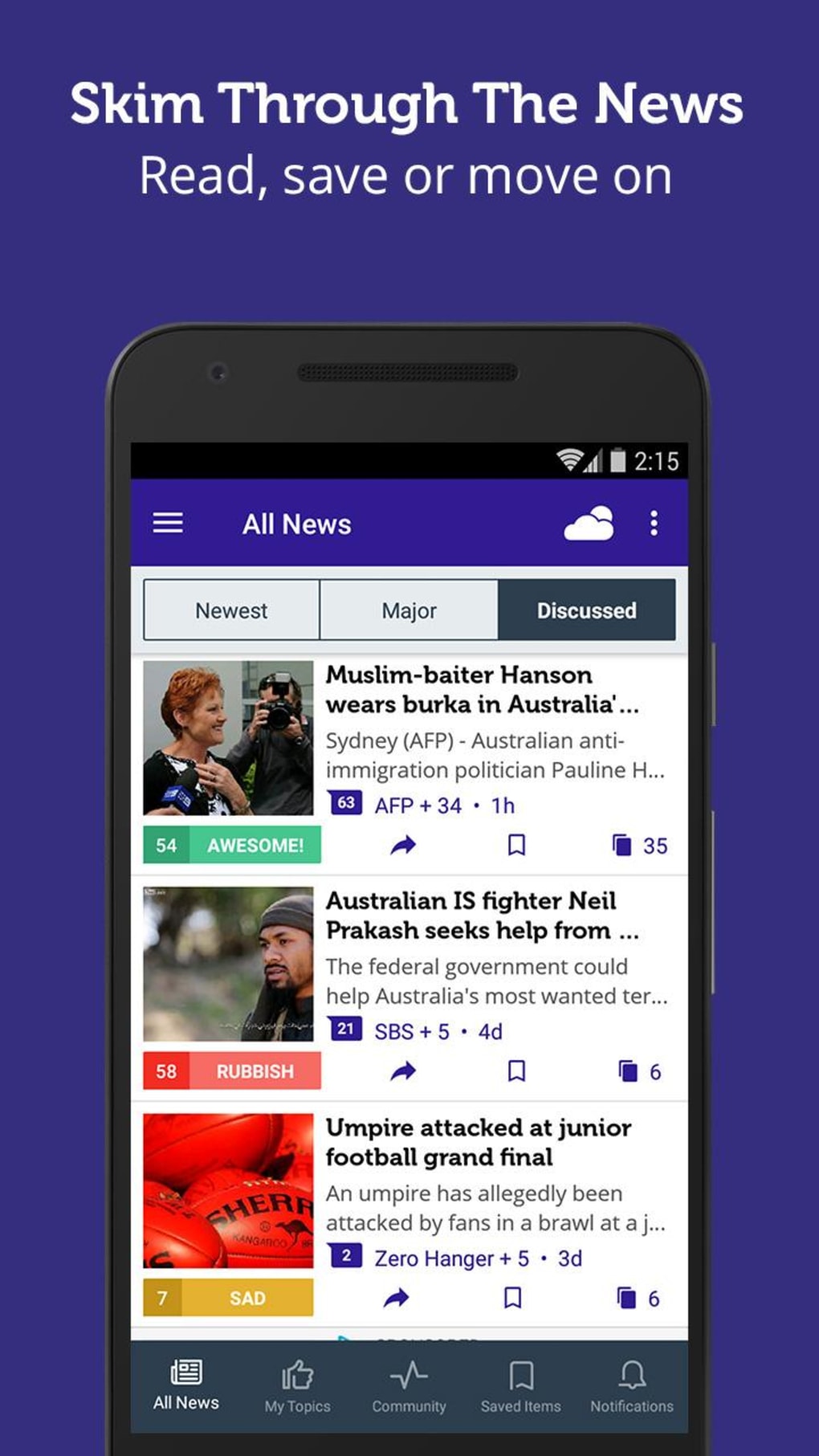
- Smart News Curation – Automatically identifies and surfaces the most important stories from multiple sources, reducing redundancy and ensuring users are not overwhelmed by repetitive content.
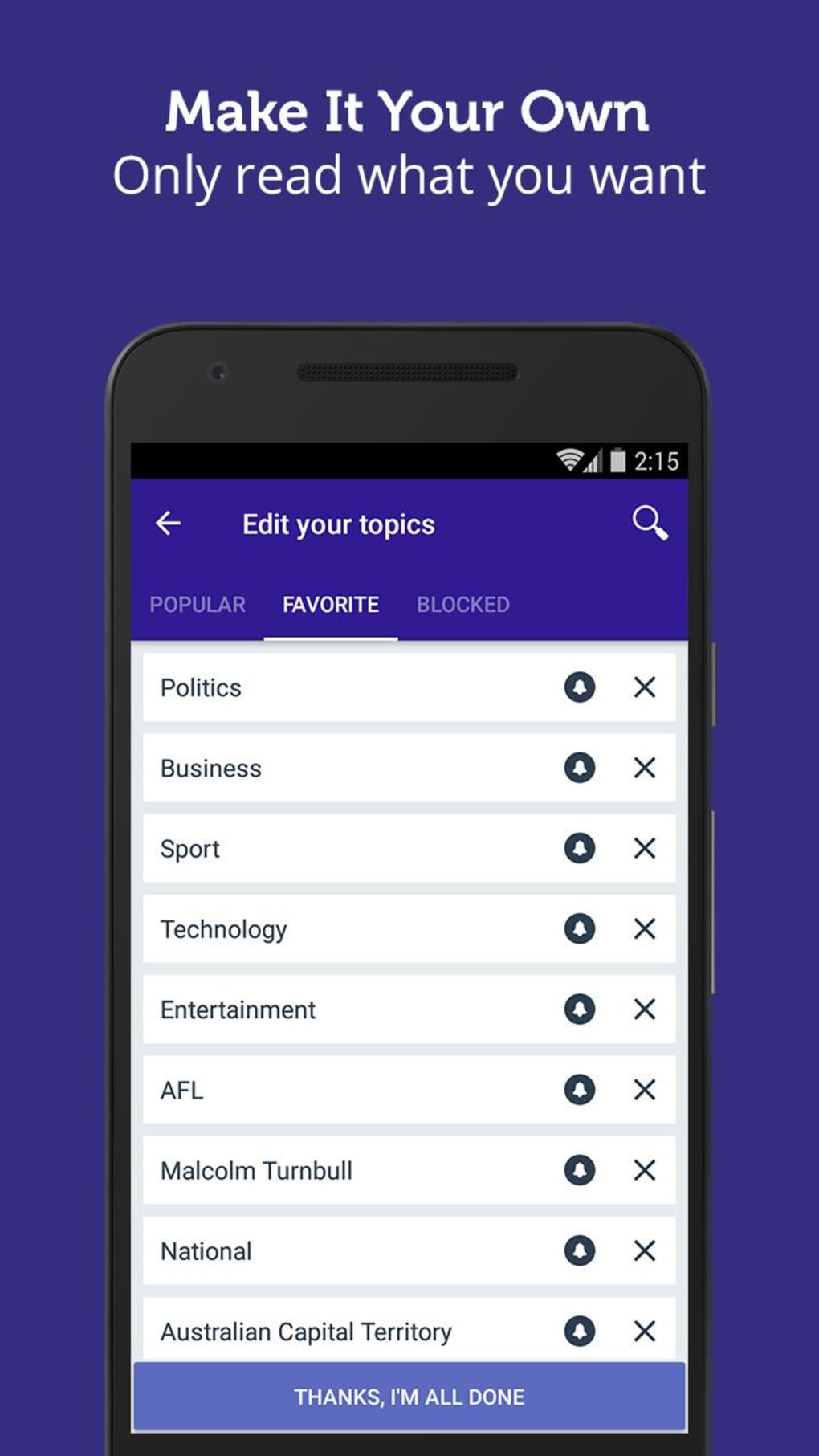
- Personalized News Feed – Allows users to select preferred regions (e.g., Queensland, NSW, Tasmania) and categories (National, Business, Technology, Politics, Sport, Entertainment) to shape their content experience.
- Push Notifications – Delivers real-time alerts for major breaking news events, ensuring users stay informed even when the app is not actively open.
- News Filtering & Blocking – Enables users to exclude topics or sources they are not interested in, enhancing relevance and focus.
- Offline Reading – Stories can be saved for later viewing, allowing access without an internet connection.
- Desktop-Style Widget – A customizable widget displays the latest headlines directly on the home screen, keeping users updated at a glance.
These features collectively support efficient news consumption, making the app ideal for busy individuals who want to stay informed without dedicating hours to research. The ability to filter content by geography and interest helps users avoid irrelevant information, while the push notification system ensures critical updates are never missed. The inclusion of a widget enhances usability by integrating news access into daily routines.
User Interface, Workflow & Performance
The user interface of Newsfusion Review is clean and intuitive, designed to prioritize readability and accessibility. Navigation is straightforward, with a bottom navigation bar that provides quick access to key sections such as Home, Categories, Saved Stories, and Settings. The layout emphasizes content clarity, using consistent typography and spacing to improve legibility across various screen sizes.
Workflow efficiency is high, as the app requires no initial configuration. Users can begin reading top stories immediately after launch. Customization options are accessible through a simple menu, allowing users to adjust regions, categories, and blocked topics with minimal taps. The app’s performance appears stable under typical usage conditions, though exact resource usage details were not specified. The developer did not provide additional system requirements, but the 45.7 MB installation size suggests a lightweight footprint suitable for most Android devices.
General performance observations are based on typical behavior of similar news applications. The app loads headlines quickly and handles media content efficiently. Stability during extended use has not been reported, but the absence of ads and in-app purchases may contribute to smoother operation. No specific data on CPU or RAM consumption was provided.
Compatibility & System Requirements
Newsfusion Review is designed for Android devices and is compatible with the latest versions of the operating system. The current version, 2.4.1, was released in April 2024. The application has a file size of 45.7 MB, indicating a compact installation that should fit comfortably on most smartphones and tablets.
Exact system requirements were not listed by the developer. Compatibility information is limited to the OS type and version. Users should ensure their device meets the minimum Android specifications required for app installation, though these were not specified. The app supports a wide range of Android devices, including those with varying screen sizes and processing capabilities, as is typical for news applications.
Pros and Cons
Pros
- Free to download with no ads or in-app purchases
- Smart curation reduces information overload
- Personalized feed based on region and interests
- Real-time push notifications for breaking news
- Efficient news filtering and blocking options
- Offline reading and home screen widget support
Cons
- Compatibility details and system requirements not fully disclosed
- Only available on Android, limiting cross-platform access
- Performance under heavy usage not documented
- No mention of data privacy or security protocols
- Version history and update frequency not specified
FAQ Section
Is Newsfusion Review available for iOS devices?
As of the latest release, the application is only available for Android. There is no information provided about future iOS compatibility.
Does the app require an internet connection to function?
While the app requires an internet connection to load new content and receive push notifications, saved stories can be accessed offline. The home screen widget may also display cached headlines.
Is the app secure and safe to use?
The app is available through the Google Play Store and does not display ads or in-app purchases. However, specific security or data privacy measures were not disclosed by the developer.
How often are updates released?
The app was last updated in April 2024. The developer has not provided information on the frequency of future updates or release schedules.
Can I use the app without creating an account?
Yes, Newsfusion Review does not require user registration. All features are accessible immediately upon installation, including customization, saving stories, and receiving notifications.
Final Thoughts + CTA
Newsfusion Review stands out as a thoughtful, user-focused news application tailored for Android users in Australia and beyond. Its ability to curate high-impact stories, filter out redundancy, and deliver personalized updates through push notifications and a home screen widget makes it a valuable tool for staying informed. The absence of ads and in-app purchases enhances the user experience, ensuring uninterrupted access to quality content.
While system requirements and update frequency are not fully detailed, the app’s lightweight size and immediate usability compensate for these gaps. It is particularly beneficial for individuals who value efficiency, clarity, and relevance in their daily news consumption.
For anyone seeking a reliable, free, and ad-free news experience on Android, Newsfusion Review delivers a compelling solution. Download Newsfusion Review now.





.png)

